
Table of Contents
ToggleWhat is a Resume?
Definition of Resume
A resume is a formal document that highlights your:
- Skills
- Education
- Experience (if any)
- Achievements
It is your first impression in front of employers.
Why Resume is Important for Freshers
Even if you have no experience, your Resume for Freshers helps recruiters understand the following:
- Your potential
- Your skills
- Your learning ability
A strong resume = Higher chances of getting shortlisted.
Types of Resume (For Freshers)
1. Chronological Resume
- Focus on education and experience
- Best for experienced candidates
2. Functional Resume
- Focus on skills
- Best for freshers
3. Combination Resume
- Mix of both skills + education
- Most recommended for freshers
Tip: Freshers should use a combination resume format
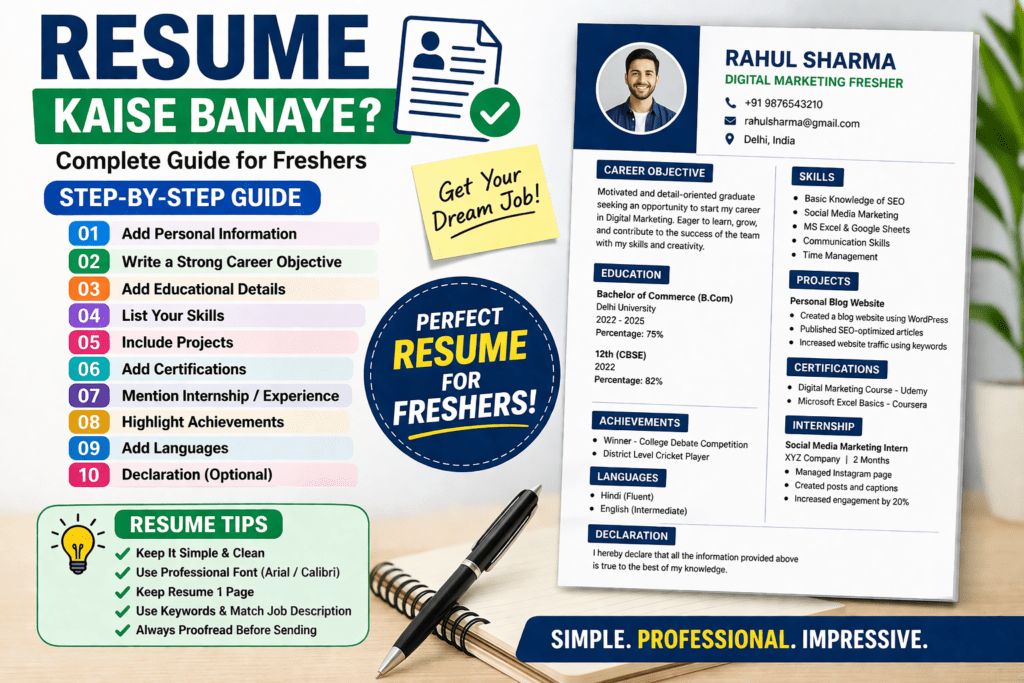
Step-by-Step Guide to Make a Resume for Freshers
Step 1: Add Personal Information
What to Include:
- Full Name
- Phone Number
- Email ID
- Location (City, State)
Example:
+91 9876543210
rahulsharma@gmail.com
Delhi, India
Step 2: Write a Strong Career Objective
What is Career Objective?
It is a short paragraph (2–3 lines) describing:
- Your career goals
- What you want to achieve
- What value you bring
Example (For Freshers)
“Motivated and detail-oriented graduate seeking an opportunity to start my career in digital marketing. Eager to learn and contribute to company growth with my skills.”
Tips:
- Keep it short (50–60 words)
- Avoid copy-paste lines
- Customize for each job
Step 3: Add Educational Details
Format:
- Degree Name
- College Name
- Year
- Percentage/CGPA
Example:
| Degree | Institute | Year | Score |
|---|---|---|---|
| B.Com | Delhi University | 2025 | 75% |
| 12th | CBSE Board | 2022 | 82% |
Tips:
- Mention latest education first
- Add achievements if any
Step 4: Add Skills Section
This is the most important section for freshers
Types of Skills:
Hard Skills
- MS Excel
- Digital Marketing
- Tally
- Video Editing
Soft Skills
- Communication
- Teamwork
- Problem-solving
Example:
Skills:
- Basic Knowledge of SEO & Social Media Marketing
- MS Excel & Google Sheets
- Strong Communication Skills
- Time Management
Tips:
- Match skills with job description
- Don’t add fake skills
Step 5: Add Projects (Very Important)
Even if you don’t have job experience, projects can help you stand out.
Examples of Projects:
- College project
- Internship project
- Personal website
- Blog writing
Example:
Project: Personal Blog Website
- Created a blog website using WordPress
- Published SEO-optimized articles
- Increased website traffic using keywords
Tips:
- Use action words (Created, Designed, Managed)
- Show results if possible
Step 6: Add Certifications
Certifications make your resume stronger.
Examples:
- Digital Marketing Course
- Excel Certification
- Google Analytics
Example:
Certifications:
- Digital Marketing Course – Udemy
- Basic Excel – Coursera
Step 7: Add Internship / Experience (If Any)
Even small experience matters.
Example:
Intern – Social Media Marketing
XYZ Company | 2 Months
- Managed Instagram page
- Created posts and captions
- Increased engagement by 20%
Step 8: Add Achievements
This section makes your resume’s unique.
Examples:
- Won college competition
- Sports achievements
- Certifications
Example:
- Winner – College Debate Competition
- District Level Cricket Player
Step 9: Add Languages
Example:
- Hindi (Fluent)
- English (Intermediate)
Step 10: Declaration (Optional)
Example:
“I hereby declare that all the information provided is true to the best of my knowledge.”
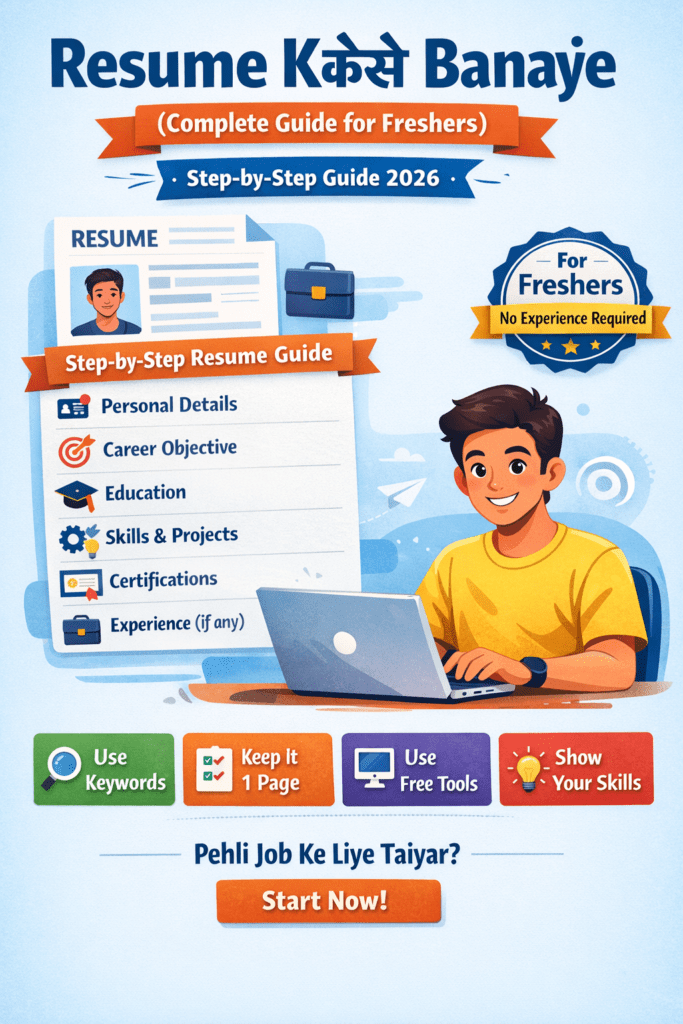
Resume Format (Simple Template)
Resume
Personal Details
Career Objective
Education
Skills
Projects
Certifications
Experience
Achievements
Languages
Resume Design Tips
Keep It Simple
- Use clean layout
- Avoid too many colors
Use Professional Fonts
- Arial
- Calibri
Use Bullet Points
- Easy to read
Keep Length Short
- 1 page for freshers
Common Resume Mistakes to Avoid
Spelling Mistakes
Always proofread
Fake Information
Can get you rejected
Too Long Resume
Keep it short and clear
Unprofessional Email
❌ coolboy123@gmail.com
✅ rahulsharma@gmail.com
Match Job Description
- Read job post carefully
- Customize resume
Use ATS-Friendly Format
ATS = Applicant Tracking System
Use:
- Simple format
- No images
- No fancy graphics
Best Tools to Create Resume
Free Resume Tools
- Canva
- Microsoft Word
- Google Docs
Pro Tips:
- Use ready templates
- Edit as per job role
Sample Resume (Short Example)
Rahul Sharma
📞 9876543210
📧 rahulsharma@gmail.com
Career Objective
Seeking a beginner role in digital marketing where I can learn and grow.
Education
B.Com – Delhi University – 75%
Skills
- SEO Basics
- MS Excel
- Communication
Projects
Created blog website and published articles
Certifications
Digital Marketing – Udemy
Final Tips to Get Job Faster
Tip 1: Customize Resume for Every Job
Tip 2: Apply Daily
Tip 3: Improve Skills
Tip 4: Make LinkedIn Profile
Tip 5: Practice Interview
Conclusion
Making a resume as a fresher is not difficult if you follow the right steps. Focus on your:
- Skills
- Projects
- Learning ability
A well-made resume can open the door to your first job.